Initial Authorisation#
Internal Seller Access#
To gain initial access to the Api you will need to follow the authorisation process as documented by Amazon amzn/selling-partner-api-docs
This involves two main stages:
Adding an App to your Seller Central account.
Configuring Python-SPAPI with the correct credentials.
Configuring the App in Seller Central:#
Note
To add an App to your Seller central account you must be logged in the account owner.
Overview:
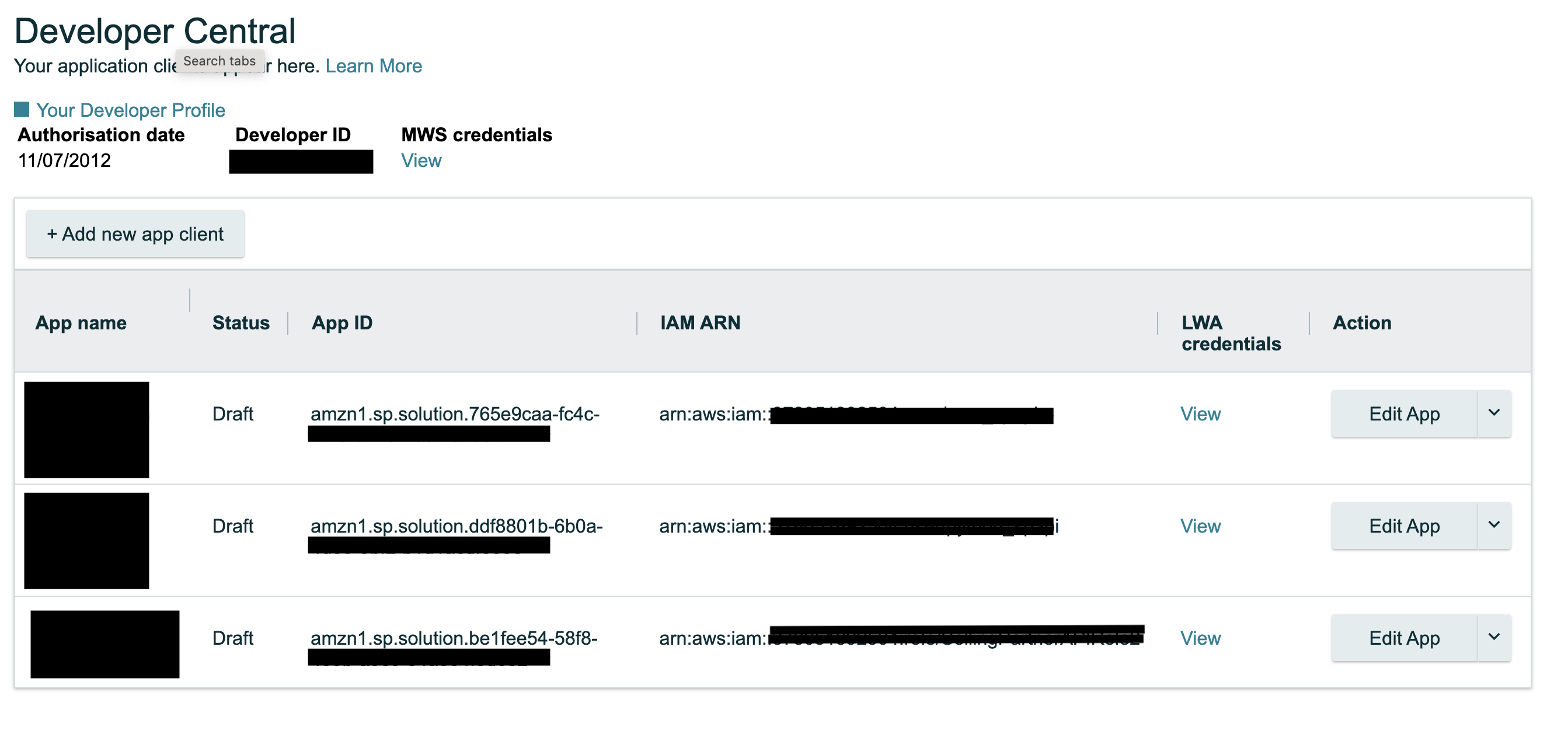
Seller Central -> Partner Network -> Develop Apps.
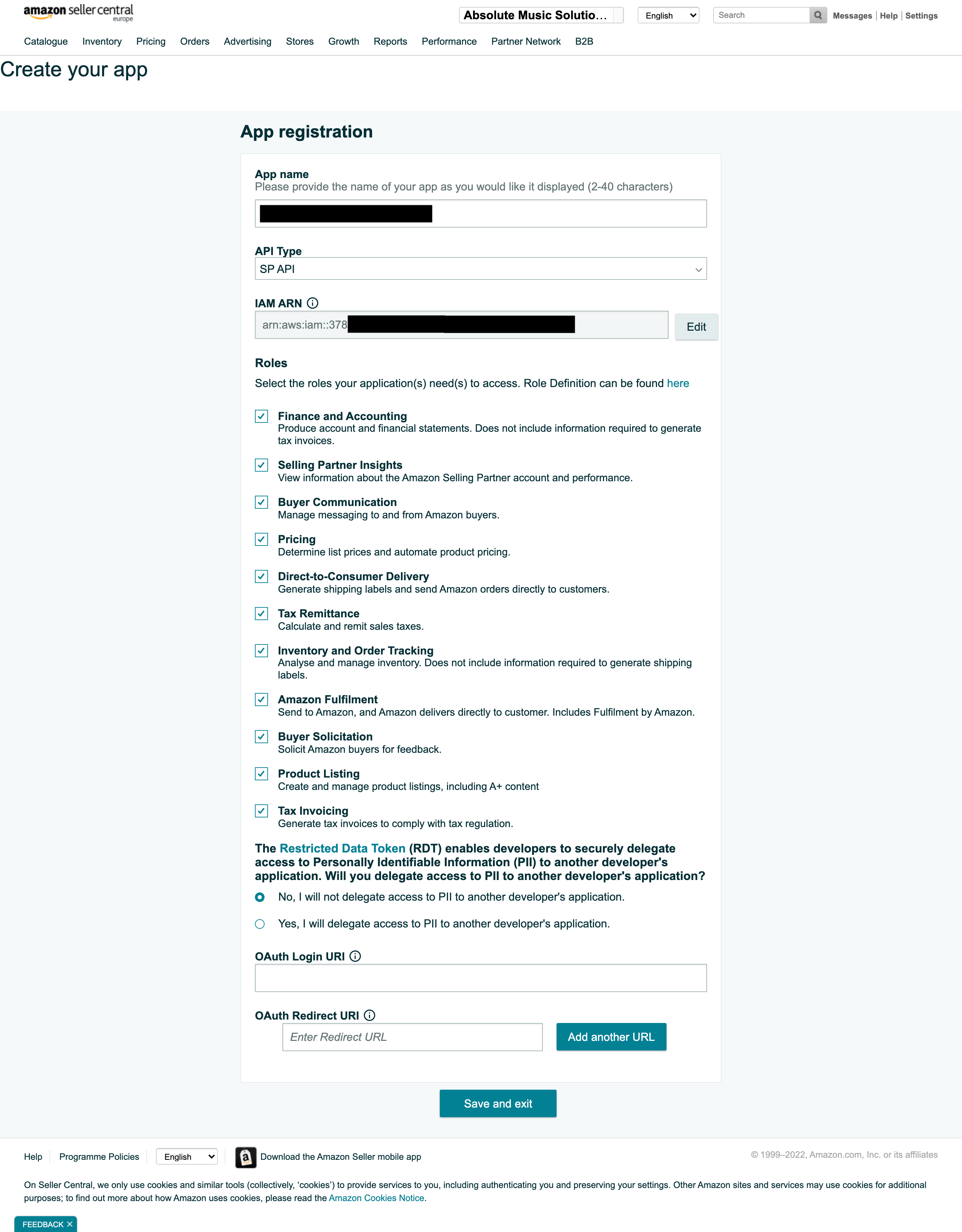
Add a new client app
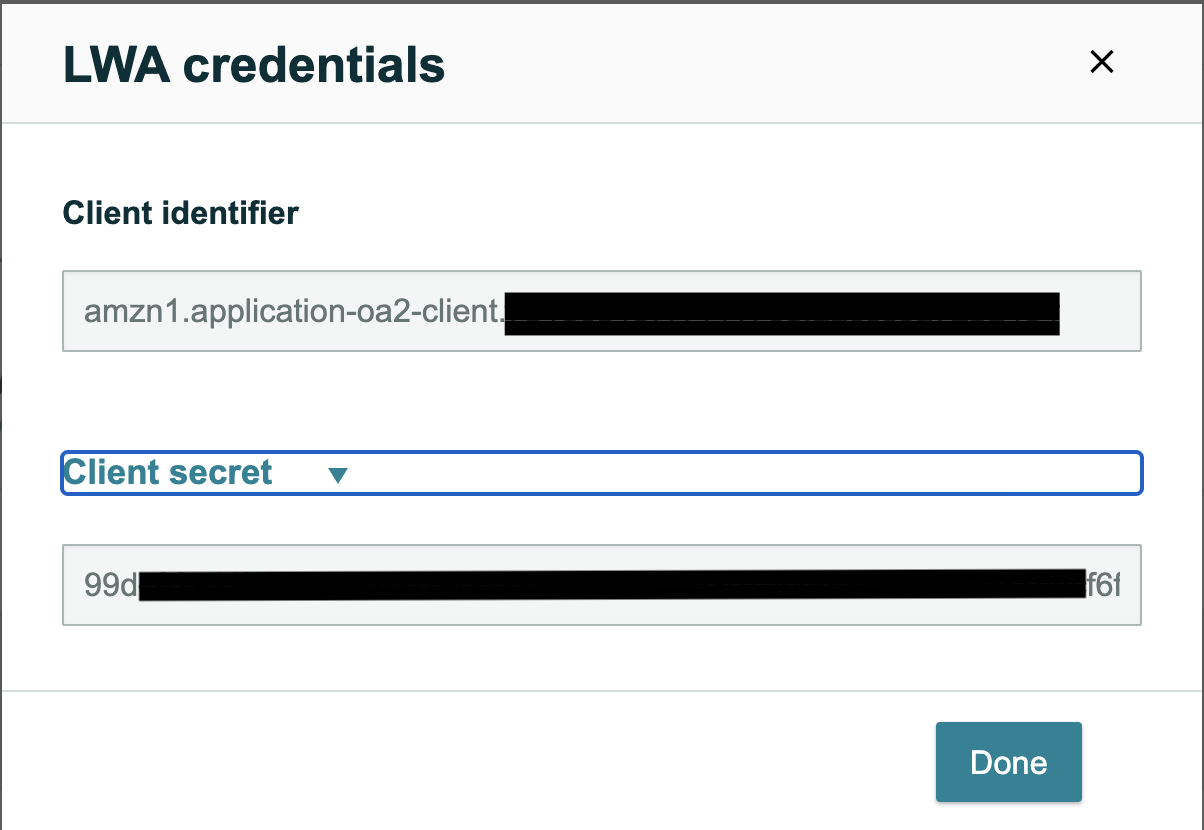
Click the LWA Credentials View link to see your Login With Amazon credentials.
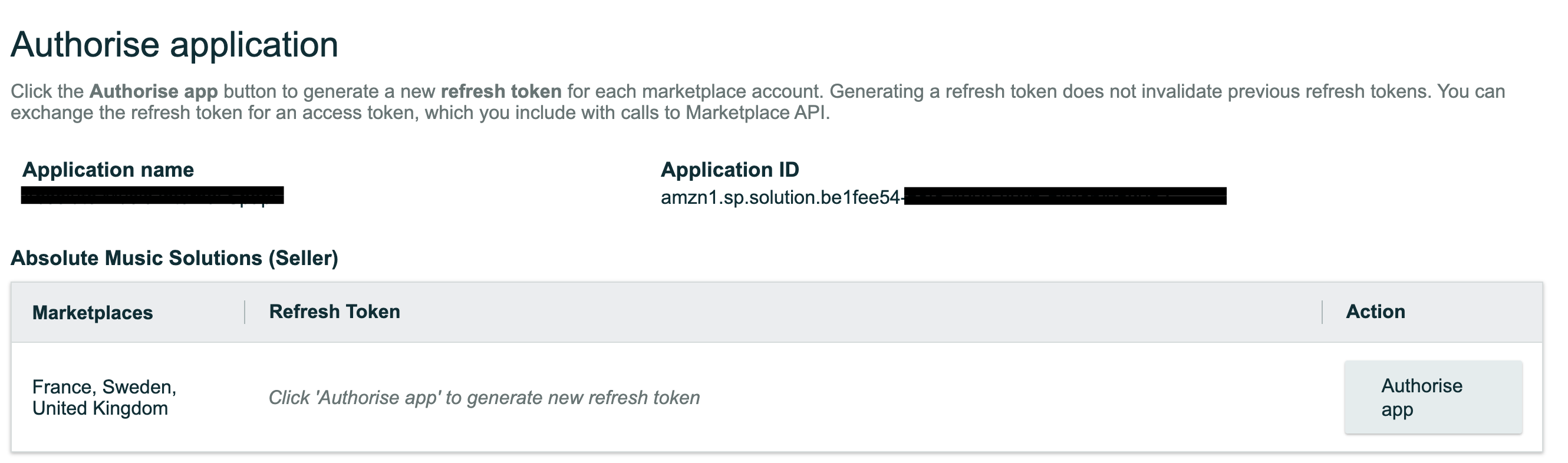
Click Authorise and copy the REFRESH_TOKEN that is provided to you. This is your only chance to see this token!, you will nee to regenerate it if you lose it.
Configuring Python SPAPI.#
Using the credentials dict as our example (Note you can use file or environment variables):
The following is an overview of which credentials go with which key.
refresh_token -> This is from Seller Central, Authorisation of the app window
lws_app_id -> This is from Seller central under LWA client credentials -> Client Identifier and will look like amzn1.application-oa2-client.7b18cd……
lwa_client_secret -> This is from Seller central under LWA client credentials -> Client Secret and will look like b5f7f8…
credentials = dict(
    refresh_token='your_refresh_token',  # From Seller central under Authorise -> Refresh Token
    lwa_app_id='your_lwa_app_id',  # From Seller Central, named CLIENT IDENTIFIER on website.
    lwa_client_secret='your_lwa_client_secret',  # From Seller Central, named CLIENT SECRET on website.
)
Example Screenshots
App Overview
On this screen you can both create a new app, gain your LWA credentials for an existing app, and authorise your app (get refresh token).
Create Application
Authorise Application
LWA Credentials View